Day 0 – Preparation
Account registration, payment, bypass toolVPN – how to set up setup, warmup
Copy this page and send it to your Claude Code or ChatGPT – they will help you complete this day
Contents
1. Digital Footprint
For residents of restricted regions only. If you have unrestricted access to Claude – skip to the Registration section.
Why this matters
Claude is an international service. Anthropic does not serve users from certain regions. Your goal is to create a consistent digital footprint from a single country.
Two countries – two tasks
To work with Claude you need two things from different countries:
| Task | Country | Why |
|---|---|---|
| Bypass tool | Europe (Finland or Germany) | Stable IPs, not flagged |
| Payment card | Your home country or GoGoCard | Avoid extra VAT (20–30% in Europe) |
| Phone number | Any non-restricted country | eSIM without KYC, affordable |
| Billing address | Same as card country | Must match your card's country |
| App Store | Same as card country | Lower or no VAT |
Important: your billing address must match your card's country. The bypass tool is separate (Europe).
What to prepare
- A new Gmail account – separate, NOT your personal one. This Gmail will be used by your AI agent
- Phone number – for SMS verification
- Payment card – international virtual card
- A bypass toolVPN – how to set up – paid, with a dedicated IP
Each item is covered in the following sections.
2. Registration
Gmail
Create a new Gmail – do not use your personal one.
This account will be a working tool for your AI agent. Do not link your personal email, personal phone number, or other personal data to it. The agent will use this email for work – keep it separate from your personal life.
Claude trusts Google accounts the most. If registering a new Gmail is difficult from your region, you can buy a pre-made one.
Where to buy:
- ggsel.net/catalog/gmail – pre-made Gmail accounts
If you already have a Gmail – you can use it, but it is better to create a separate one for your agent. The account should look active (has history, not created yesterday).
Phone number
Claude requires SMS verification during registration.
One-time numbers – cheap, just for verification:
- hero-sms.com – one-time number for SMS verification
- grizzlysms.com – virtual numbers for SMS
Permanent number – more expensive, but the SIM is yours to keep:
- eSIM Kazakhstan without KYC – permanent eSIM, convenient if you plan to reuse the number
- Your own phone number from a non-restricted country
Registering for Claude
- Enable your bypass toolVPN – how to set up (Finland or Germany)
- Go to claude.ai
- Click "Continue with Google" – sign in with your new Gmail
- Verify your phone number via SMS
- Do not rush to pay – warm up first (section 5)
3. Payment
Claude plans
| Plan | Price | What you get |
|---|---|---|
| Pro | $20/mo | Claude in browser, Projects, Claude Code Cowork |
| Max | $100/mo | Claude Code (terminal agent), maximum limits, priority access |
For Claude Cowork (no-code track) – Pro ($20/mo) is enough. You get Claude in the browser, Projects and Code Cowork.
For an AI agent (Agent track) – you need Max ($100/mo). Claude Code in the terminal, Telegram integration, 24/7 server operation.
GoGoCard – recommended for residents of restricted regions
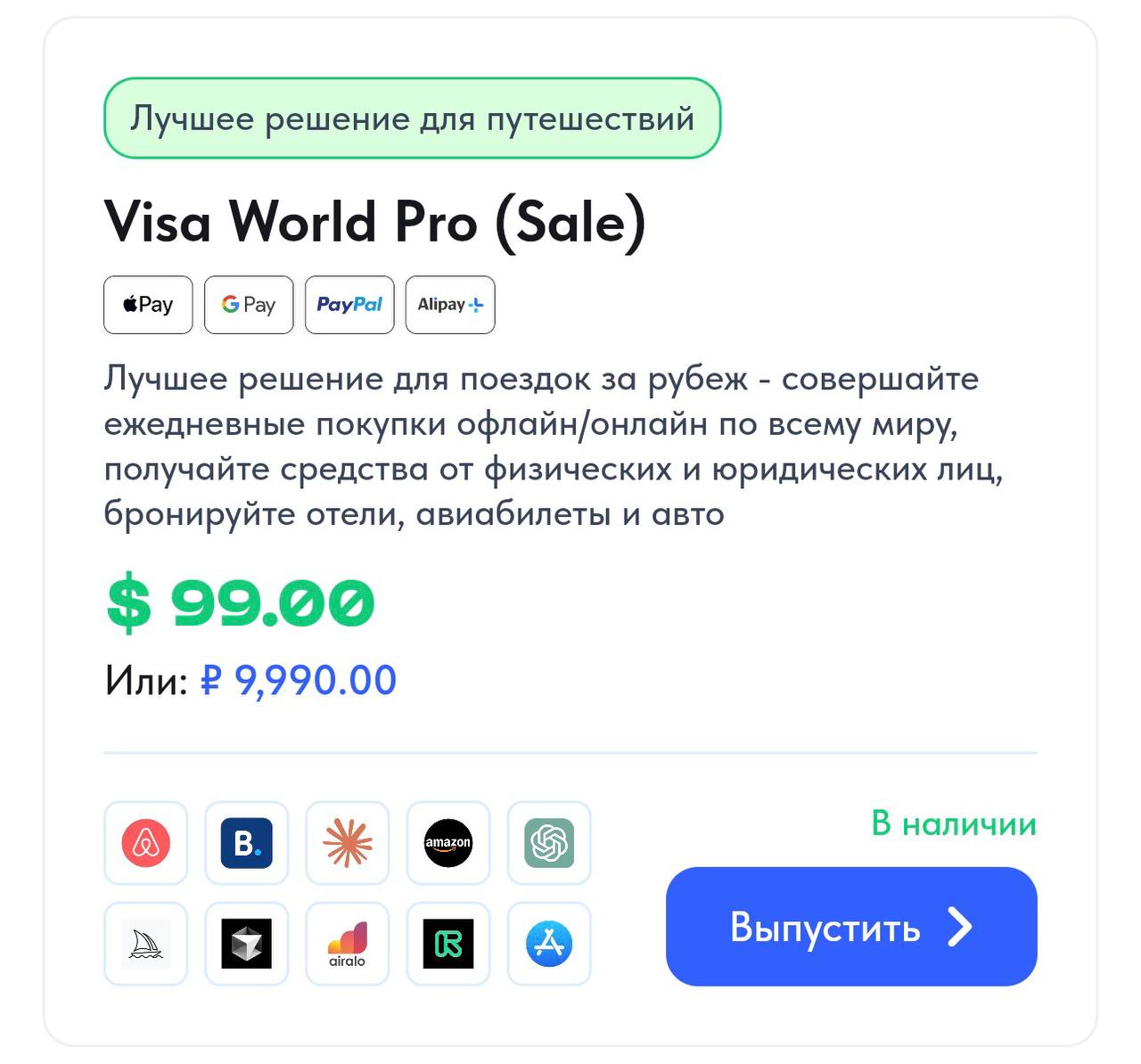
GoGoCard Visa World Pro – a virtual card for international payments ($99). Works for all payments you need: Claude, servers, App Store, services. Supports Apple Pay, Google Pay, PayPal.
1. Sign up: app.gogocard.me
2. Complete verification (document + photo)
3. Issue a Visa World Pro card ($99)
4. Top up and pay for your Claude subscription
Plati Market – best value for Claude subscriptions
Plati Market – a digital goods marketplace. The most cost-effective way to get a Claude Pro or Max subscription – prices are significantly lower than paying directly.
1. Browse the catalog: plati.market/games/claude
2. Choose the plan you need – Claude Pro or Max
3. Pay with any convenient method (Russian cards, crypto, YooMoney)
4. Receive login credentials or activation instructions
Pros: fast, accepts Russian cards, no foreign card needed. Subscriptions from 1,469 RUB.
Other options
Heleket – international card service:
- Sign up: dash.heleket.com
- Top up with crypto or bank transfer
WantToPayBot – virtual cards via Telegram:
- @WantToPayBot – quick issuance, crypto top-up
Ozon Bank card:
- Works for App Store, ChatGPT, Spotify, and Claude
- Issued in the Ozon app
Bybit card:
- Crypto exchange with a card for international payments
- Confirmed working
One card – one account. When a single card pays for dozens of subscriptions, it gets flagged as reselling and leads to a ban.
Tip: paying through the App Store
The most reliable method – link your card to the App Store and pay for the subscription through it. Your App Store region must match the country where your card was issued:
- Change your App Store region to match your card's country – instructions
- Link your card to the App Store (GoGoCard, Heleket, Ozon Bank, or Bybit – whichever works)
- Download "Claude by Anthropic" from the App Store
- Pay for the Max ($100/mo) or Pro ($20/mo) subscription directly through the App Store – Apple will charge your linked card
When paying through Apple, accounts get blocked far less often – Apple acts as an intermediary, and Anthropic sees a payment from Apple, not from your card directly.
Important
- Card and billing address must be from the same country
- Do not use "top-up services" or account shops
4. Bypass Tool & Security
Bypass toolVPN – how to set up rules
- Personal paid bypass toolVPN – how to set up or dedicated/static IP. Not free, not shared
- One country at all times – do not hop between countries and cities
- Bypass tool – Europe (Finland/Germany), card and billing – your home country or Europe
- Avoid public/spammed IPs (free bypass toolsVPN – how to set up, cheap datacenter proxies) – they often get banned
Choose a bypass toolVPN – how to set up that lets you select a specific server. Connect to a Finland or Germany server and use it consistently.
Browser
- Separate browser or profile for Claude only. Do not mix with other services
- Disable geolocation and WebRTC leak – they can reveal your real IP on top of the bypass toolVPN – how to set up
- Use one device and one browser profile
- Auto-clear cache/cookies on exit – to keep sessions clean and predictable
How to check for WebRTC leak
- Connect your bypass toolVPN – how to set up
- Open browserleaks.com/webrtc
- If you see your real IP – WebRTC needs to be disabled
- In Chrome: install the "WebRTC Leak Prevent" extension
- In Firefox:
about:config→media.peerconnection.enabled→false
Consistency
Register your account from the "correct" country right away. Do not change your location after the fact – it looks suspicious.
Advanced: anti-detect browser AdsPower
For those who want maximum protection. A regular bypass toolVPN – how to set up only hides your IP. An anti-detect browser also hides your device's digital fingerprint – hardware, fonts, screen resolution, timezone.
- Sign up for AdsPower – an anti-detect browser
- Create a profile and connect a proxy (residential or static – with a dedicated IP) to it
- Register and work with Claude through this profile
- Run Claude Code from this profile too – everything in one environment
This is the safest option – Anthropic sees a "clean" device from Finland or Germany, with no traces of your actual location.
5. Account Warmup
Why warm up
A new account that immediately starts generating hundreds of requests via Claude Code is a red flag for the security system. Anthropic sees this pattern: registration → payment → Claude Code → 1000 requests per hour. That is the path to a ban. The warmup takes 2 days but saves your account.
Day 1 – getting acquainted (no payment)
Goal: show the system you are a real person, not an automated script.
- Enable your bypass toolVPN – how to set up (Finland or Germany – the same country as during registration)
- Go to claude.ai in your browser
- Ask 5–10 normal questions – as a regular user would. Translate a text, analyze an article, ask a work-related question
- Try Projects – create a project, upload a file (PDF, txt), ask questions about it
- Have 2–3 conversations with 5+ messages each. Take your time – chat like you would with an assistant
- Try Artifacts – ask it to generate a table, chart, or HTML page
- Do NOT pay for the subscription on the first day. Just use the free version
Day 2 – payment and switching to Claude Code
Goal: pay for the subscription and start using Claude Code via your server.
- In the morning, go to claude.ai and have another 2–3 conversations in the browser (10–15 minutes)
- Pay for the Max ($100/mo) subscription for Claude Code or Pro ($20/mo) for browser access – with the card you prepared in the Payment section
- After payment, have another 3–5 browser conversations – try coding tasks, ask it to write a Python or bash script
- Create 1–2 projects in Projects with coding tasks
- 2–3 hours after payment – you can connect Claude Code on your server
- First Claude Code session – keep it short. 10–15 minutes, a simple task. Do not launch an 8-hour session right away
- Gradually increase the workload throughout the day
Only a paid bypass toolVPN – how to set up with a dedicated IP.
A common reason for bans – dozens of people registering Claude Code from the same IP address. Free and cheap bypass toolsVPN – how to set up use shared IPs that are already flagged. A dedicated IP means only you are on that address.
Want a list of recommended bypass tools? Ask in the workshop chat – we will send it.
Important
- Use the same bypass toolVPN – how to set up, browser, and device – both days
- Only a paid bypass toolVPN – how to set up with a dedicated IP – free = shared IP = ban
- Do not launch Claude Code before paying for the subscription – without a subscription Claude Code does not work
- Do not jump straight to "production mode" – the first days after payment your account is under observation
- If you fire 500 requests through Claude Code right after paying – high risk of a ban
- Warmup = insurance. 2 days of patience now – a stable account for months
From this point – Agent track only
If you chose Claude Cowork (Pro, $20/mo) – you are ready. Head to the Cowork lessons. The sections below are only for those building an AI agent with Claude Code and Telegram integration (Max, $100/mo).
6. Server Setup
Why you need a server
Claude Code runs in the terminal – it is a command line, not a browser chat. You can run it on your own computer, but there are problems:
- Your computer must stay on – the agent works as long as the terminal is running
- Your IP changes – home internet assigns different addresses, which looks suspicious to Anthropic
- No external access – you cannot manage the agent from your phone or another device
A server (VPS) solves all of this: it runs 24/7, the IP is stable, and you can access it from anywhere in the world. Your agent lives on the server – you connect to it whenever you need.
Minimum requirements
| Parameter | Minimum | Recommended |
|---|---|---|
| CPU | 2 vCPU | 2–4 vCPU |
| RAM | 4 GB | 4–8 GB |
| Disk | 40 GB SSD | 80 GB NVMe |
| OS | Ubuntu 22.04 | Ubuntu 24.04 |
| Location | Europe | Finland / Germany / Netherlands |
Server location = same country as your bypass toolVPN – how to set up. If your bypass tool is in Finland – the server should be in Finland too. One digital footprint.
Where to rent
AdminVPS – from 1,300 RUB/mo (2 vCPU / 4 GB). Servers in Europe. Accepts Russian cards, Russian-language support.
Timeweb – from 900 RUB/mo (2 vCPU / 4 GB). Servers in the Netherlands and Poland. Accepts Russian cards, Russian-language support.
VDSina – from $15/mo (2 vCPU / 4 GB). Germany, Finland, Netherlands. Card or crypto payment.
DigitalOcean – from $24/mo (2 vCPU / 4 GB). Amsterdam, Frankfurt. International card required.
Hetzner – from €7/mo (2 vCPU / 4 GB). Falkenstein, Helsinki. International card required.
How to create a VPS
- Sign up at your chosen hosting provider
- Create a server: Ubuntu 22.04 or 24.04, at least 2 vCPU / 4 GB RAM
- Choose the location – Finland, Germany, or the Netherlands
- Write down the server IP address and root password – they will be sent to your email
- Connect to the server via SSH: open a terminal and enter
ssh root@your_ip
Detailed Claude Code installation on the server is covered in Day 1. For now, it is enough to create the server and make sure you can connect to it.
If you have no server experience
Do not worry – it is easier than it sounds. In Day 1 we will walk through the installation step by step. All you need is:
- Sign up at a hosting provider
- Click "Create server"
- Select Ubuntu and the right plan
Everything else is just copying commands. If you get stuck – ask in the workshop chat.
7. What NOT to Do
Account
- Only buy subscriptions from verified platforms – Plati Market or those recommended in the "Payment" section. Avoid unknown middlemen who mass-register and top up accounts
- One person – one account. No carousel of accounts on the same IP and card
- Do not share your account with other people, do not sell or rent out access
- Do not use your personal Pro/Max as a backend for reselling access – Anthropic actively fights this
Network
- Do not combine: other people's cards + shady financial services + free bypass toolVPN – how to set up + constantly changing IP
- Do not try to clean up a flagged account by just switching the bypass toolVPN – how to set up – this rarely helps
- Do not hop between countries – if you started from Finland, stay there
8. Disclaimer
Important to understand
This is not a guarantee, but a set of practices that reduce the risk of account suspension.
- Even if you follow every step, a ban is still possible – the decision is always Anthropic's
- Using the service from a region that is not officially supported is always "at your own risk," no matter how carefully the setup is configured
- We share community experience, not legal guarantees
If you get banned
- Do not panic – sometimes bans get lifted
- Contact Anthropic support at support.anthropic.com
- Be polite and honest
- If the account is not restored – create a new one, learning from your mistakes
Sources
This material is compiled from open sources:
- Anthropic documentation (support.anthropic.com)
- EdgeLab community
- Experience of EdgeLab participants and mentors
Day 0 Checklist
By the end of preparation you should have:
- A working bypass toolVPN – how to set up – paid, with a dedicated IP, connected to Finland or Germany
- Gmail account – new, separate from your personal one. Sign into it as a second account in your browser and do not share this email with anyone
- Anthropic account – registered at claude.ai via "Continue with Google" (new Gmail)
- International payment card – GoGoCard Visa World Pro (preferred), Heleket, Ozon Bank, or Bybit
- Paid Claude Pro or Max subscription – ideally. If you did not manage to pay yet – no problem, you can pay later
- Server (VPS) – rented, Ubuntu 22.04/24.04, SSH connection works. Location matches your bypass toolVPN – how to set up country
If all items are checked off – you are ready for Day 1.